Tidyup / Android / Free
The exact file size the form asks for.
Tidyup shrinks a photo to 20, 50, 100 or 200 KB, or any size you type. It also makes, merges, splits and scans PDFs. It works offline, and nothing is uploaded.
Real results
What it does to a file
BeforeAfter
Measured on an Android test phone during development. The photo was deliberately noisy, which is the hardest case for compression, so ordinary photos usually do better. Your results will vary.
The app
Three screens, no maze
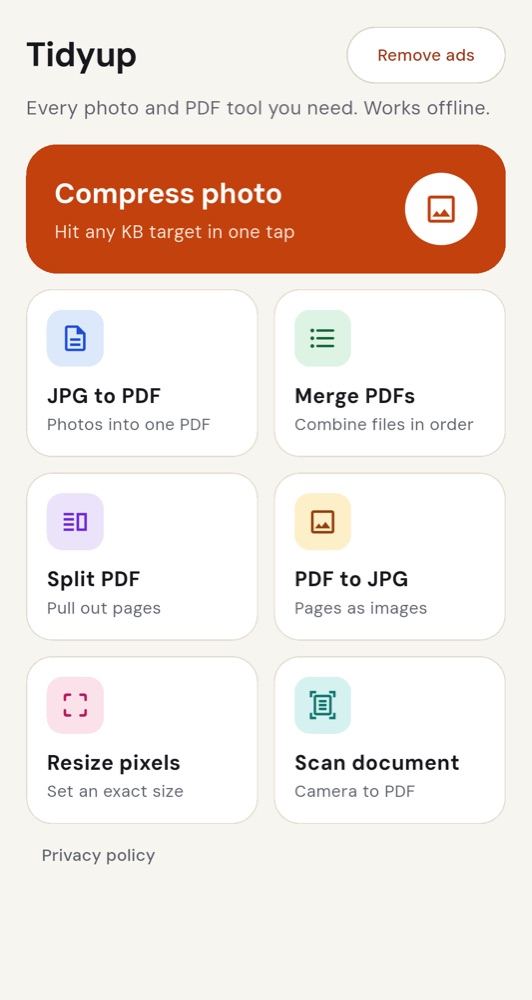
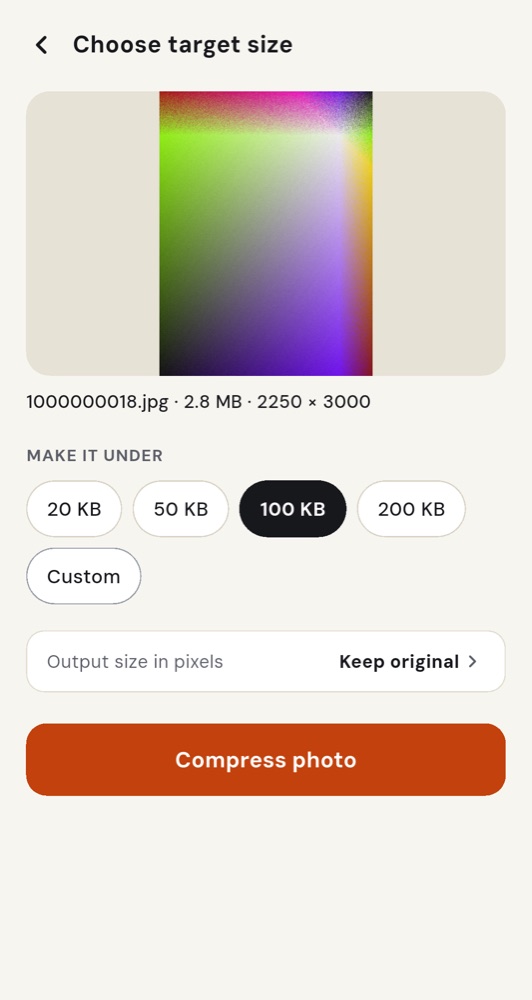
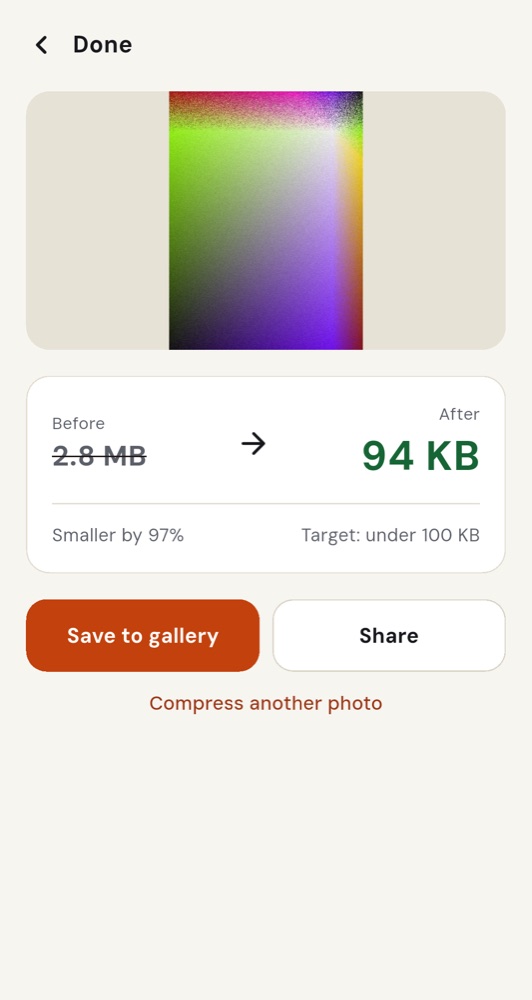
Seven tools
One job each
No menus to dig through. Choose a tool, choose a file, get a result.
- 01Compress photoHit 20, 50, 100 or 200 KB, or type your own.
- 02JPG to PDFPhotos into one PDF, in the order you choose.
- 03Merge PDFsCombine several files into one.
- 04Split PDFPull out just the pages you need.
- 05PDF to JPGTurn every page into an image.
- 06Resize pixelsExact width and height in px, cm or inches.
- 07Scan documentCamera to PDF, with edge detection and cleanup.
Privacy
Your files stay yours
There is no account and no Tidyup server. Photos and PDFs are processed on your phone and never uploaded.
The only data that leaves your device is what Google’s ad and billing services collect. The privacy policy lists it in full.
Price
Free, with an optional upgrade
Free
All seven tools.
Small ads.
Premium
No ads.
Cancel any time in Google Play. Prices may vary by country.